Our NEW Drawing App for Kids! 🎨


Our NEW Drawing App for Kids! 🎨 with tags art for kids hub drawing app, artforkidshub.app, new drawing app for kids, drawing app demo, drawing with olivia, kids drawing tools, digital drawing for kids, draw along app, pencil and marker drawing, mirror drawing, caramel apple drawing, art for kids hub, drawing for kids, kids art, family art, art tutorial
Hey, art friends! Olivia and I are excited to show you our new drawing app! 🎨 Watch as we explore the drawing tools, choose colors, change the paper size, save drawings, and try a draw-along inside the app.
We hope you have a lot of fun creating with us!
Personalization ideas: Give your drawing a silly face, try a new color combination, or add a pattern with the marker tool. Use the mirror tool to create a matching pair of butterfly wings, then turn it off to add details that make each side different.
For teachers and parents: Try a short tool-exploration break at home or in class: sketch with the pencil, trace with the marker, then clear the pencil lines to see what stays. Let artists take turns showing one tool they tried, and save a favorite drawing to share with the family or class.
Chapters:
0:00 Meet our new drawing app
0:18 Getting started
0:49 Where to find the app
1:13 Pencil, eraser, and marker
2:30 Clear pencil lines, undo, and redo
3:26 Choose and layer colors
4:33 Brush size and zoom
5:03 Paper sizes and saved drawings
5:51 Save a picture and try the mirror tool
6:19 Choose a drawing lesson
6:52 Draw along with Olivia
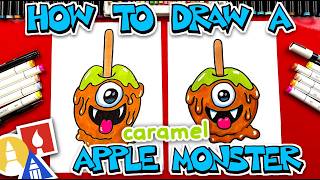
8:40 Color our caramel apple
10:28 Finish, clean up, and save
11:17 Try the app and share your feedback
👩🎨 Share Your Art:
We would love to see the drawings you create in the app. Parents, share your art on Instagram and tag us @artforkidshub for a chance to be featured.
📲 Visit Our Website and Books:
🔔 Join Our AFKH Membership:
Members get access to bonus lessons, a safe, ad-free experience, and apps for families and classrooms.
👍 Like and Subscribe:
If you had fun exploring the app with us today, give this video a thumbs up and subscribe for more art lessons.